The Best Focus Timer Apps for iPhone (October 2026)
The best focus timer app for you depends on what pulls you away from your work. If it is your phone, pick an app that blocks other apps. If you get bored, pick one with a character or a small game. If you just want a clock that counts down, pick a simple one. Below are eight focus and study timer apps for iPhone, as of October 2026, sorted by what each one is best for.
Full disclosure: we make Focus with Bella, one of the apps in this list. We put it last, and we describe it with the same kind of plain facts as the others.
New to working with a timer? You focus for a set time, often 25 minutes, take a short break, often 5 minutes, and repeat. Our guide to studying in 25-minute blocks explains it step by step.
Which focus app should you pick?
Pick the app that matches what distracts you most:
- Blocking your phone: Forest or Flow
- Setting your own times: Be Focused or Focus Keeper
- A cute companion: Focus Friend or Cat On Chair
- Studying next to other people: Focustown
- Mac and iPhone: Flow or Be Focused
- A simple timer: Focus Keeper
- A calm, fixed 25/5 rhythm: Focus with Bella (ours)
How we picked these apps
We started from the focus and study timer apps that came up in our own App Store searches in October 2026, and kept the ones that suit clearly different kinds of people. For each app, we used only what its US App Store page said as of October 2026: who makes it, what it does, which devices it runs on, and how you pay.
We did not use paid tests, rankings, star ratings or download numbers, and we left out prices because they change and differ by country. This is not a hands-on test, so check the page again before you buy. We also looked at Flora, Session and Study Bunny, and left them out to keep the list short.
The best focus timer apps compared
Here is how the eight apps compare, as of October 2026. “Free download with in-app purchases” means the app costs nothing to install and sells extra features inside the app.
| App | Made by | Best for | Pricing model | Notable feature (from its page) |
|---|---|---|---|---|
| Focus Keeper | PIXO Incorporation | A simple timer | Free download with in-app purchases | Change focus, short break and long break lengths |
| Be Focused | Denys Ievenko | Your own times, on iPhone and Mac | Free download with in-app purchases | Different timer settings for each task |
| Forest | SEEKRTECH CO., LTD. | Staying off your phone | Free download with in-app purchases | A tree grows while you stay off your phone |
| Flow | Yugen GmbH | Blocking apps and websites, no game | Free download with in-app purchases | App and web blocking, plus a commitment mode |
| Focus Friend | B-Tech Consulting Group LLC | A cozy game with a buddy | Free download with in-app purchases | Deep Focus Mode locks distracting apps |
| Cat On Chair | Ryan Yao (Cat On Desk Design Inc.) | A cat companion plus blocking | Free download with in-app purchases | Free version blocks apps and websites, with no ads |
| Focustown | Second Round Inc. | Studying next to other people | Free download with in-app purchases | A virtual cafe or library with real people studying |
| Focus with Bella (ours) | Collin Mendons | A calm, fixed 25/5 rhythm | Free download; a plan is needed to start a session | Turn the phone to switch between focus and break |
The best focus timer apps for iPhone, one by one
1. Focus Keeper: best simple timer
Focus Keeper is a classic 25/5 focus timer. Its page describes 25-minute sessions with a 5-minute break after each one, and a longer break of 20 to 30 minutes after four sessions. You can change the length of sessions, short breaks and long breaks, and the next session starts on its own. Charts show how much you have focused over time. The notes for its latest update mention app blocking.
Suits you if you want a plain timer with the classic rhythm and no character or game. Works on iPhone, iPad and Apple Watch. Focus Keeper on the App Store
2. Be Focused: best for setting your own times, on iPhone and Mac
Be Focused pairs a timer with a task list. You set the length of work sessions, short breaks and long breaks, choose how many work sessions come before a long break, and can give each task its own timer settings. You can add notes and due dates to tasks, and reports show your progress by day, week or a time you pick.
Its page says the app is “free to download and use forever.” Pro adds sync across iPhone, iPad and Mac (one purchase covers all three) and removes banners and ads.
Suits you if you like to plan your work by task and set every length yourself. Works on iPhone, iPad, Mac and Apple Watch, and needs iOS 17 or later. Be Focused on the App Store
3. Forest: best for staying off your phone
Forest turns staying off your phone into a small game: while you stay off it, a virtual tree grows. If you leave early, the tree withers. You can make Allow Lists so distracting apps are blocked during a session (on iOS 16 or later), plant trees together with friends and family, and get new kinds of trees as you reach focus goals. The page says Forest works with Trees for the Future to plant real trees, and that you sign in with an account to sync your data across platforms.
Suits you if your main problem is picking up your phone and you like seeing a reward grow. Works on iPhone and iPad. Forest on the App Store
4. Flow: best for blocking apps and websites, without a game
Flow splits your work into focus time and breaks, reminds you when to take a break, and keeps stats of your finished sessions. It can block apps and websites, and it has a commitment mode for self-control. It also offers several session lengths and iCloud sync of your stats. With Pro, the timer stays in sync across iPhone, iPad and Mac.
Suits you if you want blocking with no game, and you may also want the timer on your Mac. Works on iPhone, iPad, Mac, Apple Watch and Apple Vision, and needs iOS 18 or later. Flow on the App Store
5. Focus Friend: best cozy game with a buddy
Focus Friend calls itself “a cozy focus timer” on its App Store page. You get a little Bean character, and when you focus, your Bean focuses too. If you turn off the timer early, the Bean is sad. Finish the session and you get prizes to decorate the Bean’s room during your breaks. You can pick different Beans, like a Coffee Bean or a Kitty Bean. Deep Focus Mode locks distracting apps during a session, and you can see the timer while your phone is locked.
Suits you if a cute character and a small reward help you get started. Works on iPhone and iPad. Focus Friend on the App Store
6. Cat On Chair: best with a cat, plus blocking
When you start a focus session in Cat On Chair, a cat appears on a chair and keeps you company. Finish a session and your cat brings you a gift. If you fail, you may get a little trash instead. You trade gifts for fish, and use the fish to buy furniture and decorations for the cat’s room.
According to its page, the free version has no ads, a focus timer and a count-up mode, app and website blocking, and iCloud sync between iPhone and iPad. Pro adds mixed background sounds, an Apple Watch app, detailed stats, and settings for break length, cycles and long breaks. Its update notes also describe Focus Together rooms, where you focus with friends in real time.
Suits you if you want a cat companion and app blocking in the same app. Works on iPhone and iPad, plus Apple Watch with Pro. Cat On Chair on the App Store
7. Focustown: best for studying next to other people
Focustown puts you in a virtual cafe or library. You join a server and sit next to real people from around the world who are studying at the same time. You can also start sessions with your own friends and keep each other on track. Finished sessions earn coins to dress up your character, and a built-in study timer keeps time.
Suits you if you study better when you can see other people working. Its page does not mention app blocking or custom timer lengths, so check the app if those matter to you. Works on iPhone and iPad. For more study habits, see our guide on how to focus on studying. Focustown on the App Store
8. Focus with Bella (our app): best for a calm, fixed rhythm
This is our app: Focus with Bella is a focus and study timer for iPhone. Collin Mendons, an independent developer in Switzerland, makes it.
Focus with Bella is a focus and study timer with a painted cat named Bella, in watercolor scenes that gently move. The rhythm is fixed: 25 minutes of focus, then a 5-minute break, for 1 to 8 rounds. You cannot change the times, and there is no long break.
You switch by turning your phone. Hold it upright to focus, and Bella sits at the desk next to a wooden clock. When focus time is up, Bella taps the clock: that is your alarm. Turn the phone sideways for the break, and Bella is out in the garden. It works with rotation lock on, and people who use VoiceOver, Switch Control or a phone stand can move on without turning the phone. The timer shows on the Lock Screen and in the Dynamic Island (on iPhones that have one).
There is no account, no ads and no tracking. Your sessions stay on your phone, and the app sends a small amount of anonymous usage data to help improve it, never linked to you. It does not block apps and has no game. The app is free to download, but starting a session needs a yearly plan (new subscribers get a 3-day free trial) or a one-time lifetime purchase.
Suits you if you want a calm companion and a set rhythm with nothing to adjust. iPhone only (iOS 17 or later). Android comes after the iPhone launch. Focus with Bella on the App Store
How to choose a focus timer app
To choose a focus timer app, match it to how you get distracted and how you like to pay. Five questions cover the main differences.
Do you want to set your own times, or a fixed rhythm?
If you want to change the times, Focus Keeper and Be Focused let you set focus, short break and long break lengths. Cat On Chair lets you change breaks and cycles with Pro, and Flow offers several session lengths. If changing settings turns into a way to put off work, a fixed 25/5 app like Focus with Bella removes that choice.
Do you need the app to block other apps?
Four apps here say they can block distracting apps: Forest, Focus Friend, Cat On Chair and Flow. Cat On Chair and Flow can block websites too, and Focus Keeper’s latest update notes also mention app blocking. Blocking is worth having if your phone is what pulls you away. If you can leave your phone alone once the timer runs, an app without blocking is enough.
Do you want a companion or a game, or something calm?
Forest, Focus Friend, Cat On Chair and Focustown reward you with trees, decorations, gifts or coins. Some people find that keeps them going. Others find it one more thing to look at. The pages for Focus Keeper, Be Focused and Flow do not describe any game. Focus with Bella has a companion but no game: no feeding, no coins and nothing to collect.
Do you mind making an account?
Forest’s page talks about an account: you sign in with the same account to sync your data. Cat On Chair and Flow sync through iCloud instead, and the other pages do not say whether you need an account. Before you download, read the App Privacy section of the App Store page: it lists the data an app collects and whether that data is linked to you.
Do you prefer a subscription or a one-time purchase?
Every app here is free to download. Focus with Bella needs a plan to start a session; the others sell extra features inside the app. Focus Keeper, Forest and Focustown list monthly and yearly plans. Be Focused, Focus Friend, Cat On Chair and Flow also list a lifetime option, which you pay once. The In-App Purchases list on each App Store page shows every plan and its price in your country.
Can a focus app treat ADHD?
No. A focus app is a timer, a tool for planning your time, not a medical treatment. Several apps in this list mention ADHD in their App Store subtitles, so it is worth saying clearly. If you have ADHD, or think you might, talk to a doctor or specialist. For more, read our guide on how to focus with ADHD.
App names and trademarks belong to their owners. Mentioning them here is not an endorsement or partnership.
Questions
What is the best focus timer app for iPhone?
It depends on what pulls you away from work. If it is your phone, Forest or Flow can block distracting apps, and if you want to set your own times, Be Focused or Focus Keeper fit. For a cute companion, look at Cat On Chair or Focus Friend, and for company while you study, look at Focustown.
Is there a free focus timer app?
Yes. As of October 2026, the seven other apps in our list are free to download and sell extra features inside the app. Be Focused's page says it is free to use forever, Cat On Chair's free version has no ads and blocks apps and websites, and Focus with Bella will be free to download but needs a plan to start a session.
Which focus app works without an account?
Focus with Bella, our app, needs no account, and your sessions stay on your phone. Forest's App Store page says you sign in with an account to sync your data, while Cat On Chair and Flow describe syncing through iCloud. The other pages do not say, so check the App Privacy part of each page before you download.
Which focus app has a cat?
Cat On Chair puts a cat on a chair next to you while you focus, and finished sessions earn gifts you trade for furniture for the cat's room. Focus Friend lets you choose a Kitty Bean as your focus buddy. Focus with Bella, our app, has a painted cat named Bella who sits at the desk while you work.
Do focus apps block other apps?
Some do. As of October 2026, the App Store pages for Forest, Focus Friend, Cat On Chair and Flow say they can block distracting apps, and Cat On Chair and Flow also mention websites. Focus Keeper's latest update notes mention app blocking too, while Focus with Bella does not block apps.
Sources
- Focus Keeper (App Store, US), PIXO Incorporation
- Be Focused (App Store, US), Denys Ievenko
- Forest (App Store, US), SEEKRTECH CO., LTD.
- Flow (App Store, US), Yugen GmbH
- Focus Friend (App Store, US), B-Tech Consulting Group LLC
- Cat On Chair (App Store, US), Ryan Yao / Cat On Desk Design Inc.
- Focustown (App Store, US), Second Round Inc.
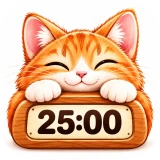
Focus with Bella
A focus and study timer for iPhone: 25 minutes of focus with a painted cat at your desk, then a 5-minute break in the garden.